Bonjour Finance

What's new

What's changing in Bonjour Finance

Recent improvements to the app and the website, newest first.

  1. iPhone and Android appWebsite

    Colour themes

    Give Bonjour Finance colours that suit you: 14 new themes join the original.

    • 15 themes in all: Bonjour (the original), Lemon, Marshmallow, Mint peach, Orchid, Sand, Cotton candy, Periwinkle, Mist, Lagoon, Powder pink, Frost, Sage, Glacier and Mustard.
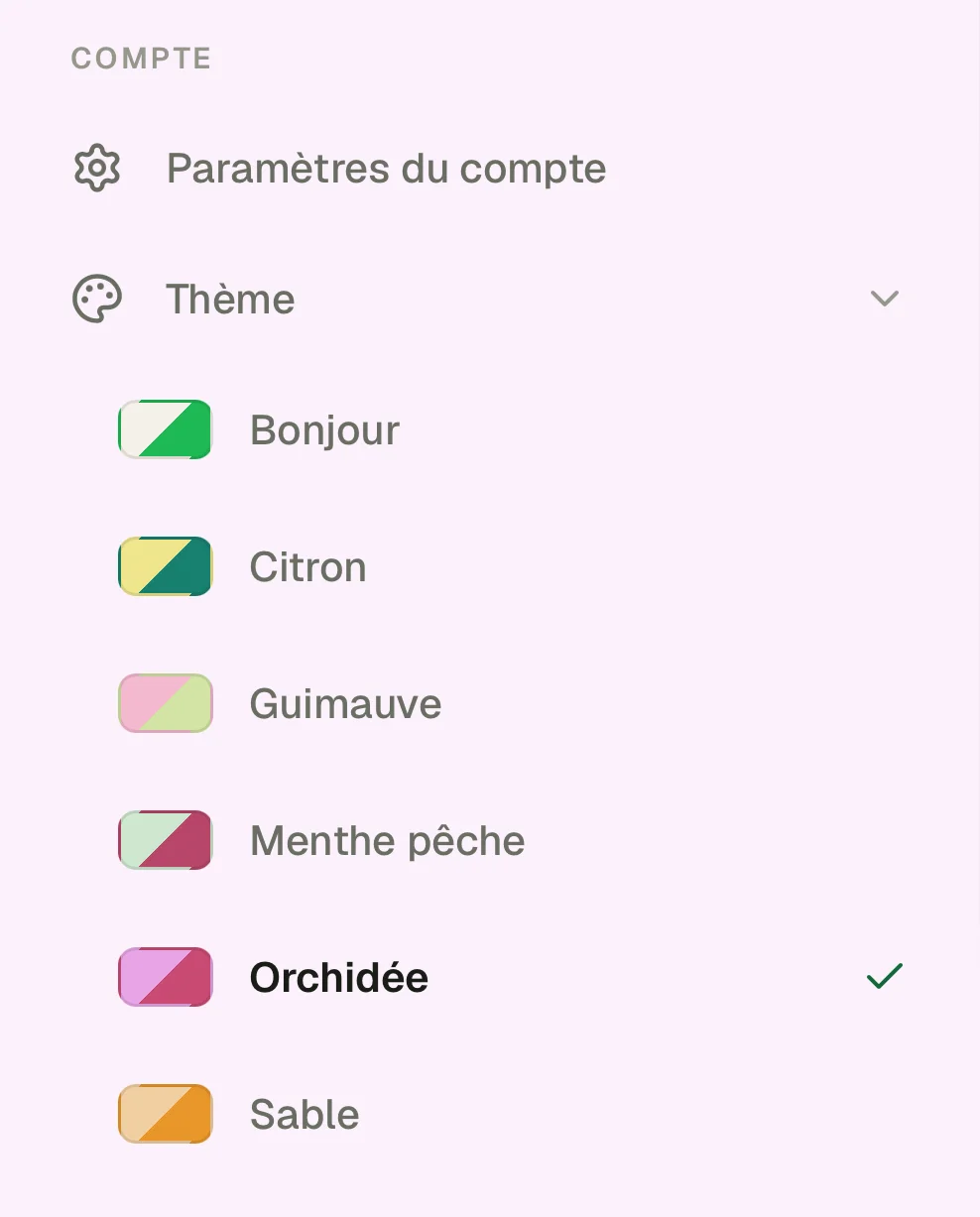
    • Open the ☰ menu, tap “Theme” and pick a colour: the app changes right away. You can also find it in your profile, Theme section.
    • The logo at the top of the screen takes on the theme colour.
    • Balances stay green when you are owed and red when you owe, whatever the theme, so you never mix them up.
    • Themes apply to light mode: picking one switches the app back to it. Your choice is saved on this device.
    • Child accounts keep their own unlockable looks.
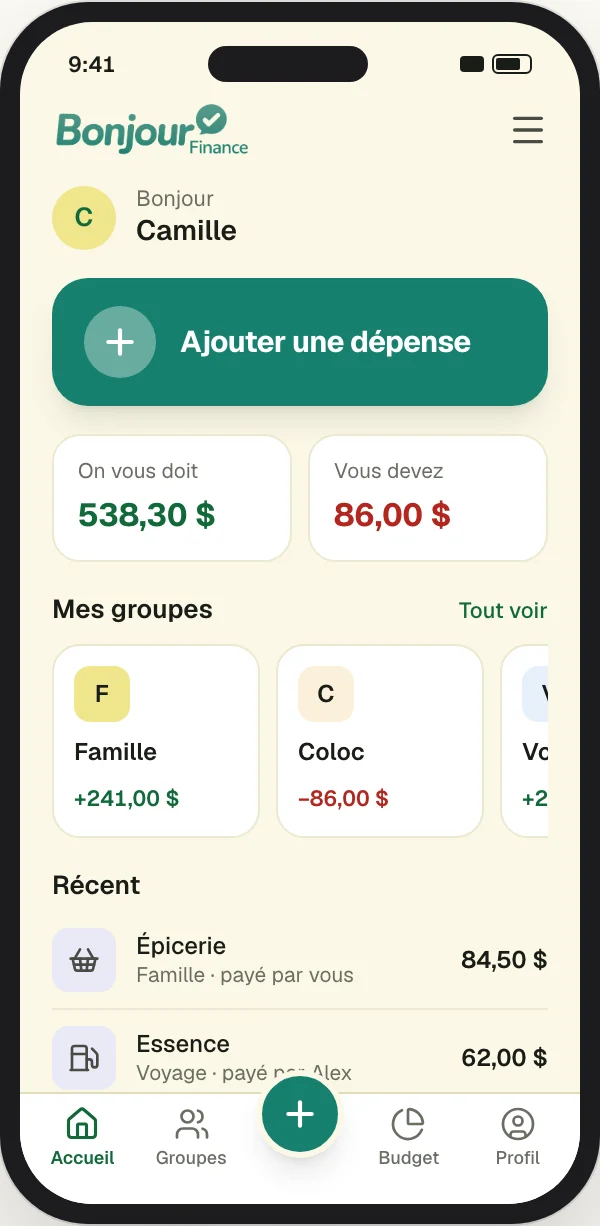
    • The app home screen with the Lemon theme: pale yellow background and teal accents.
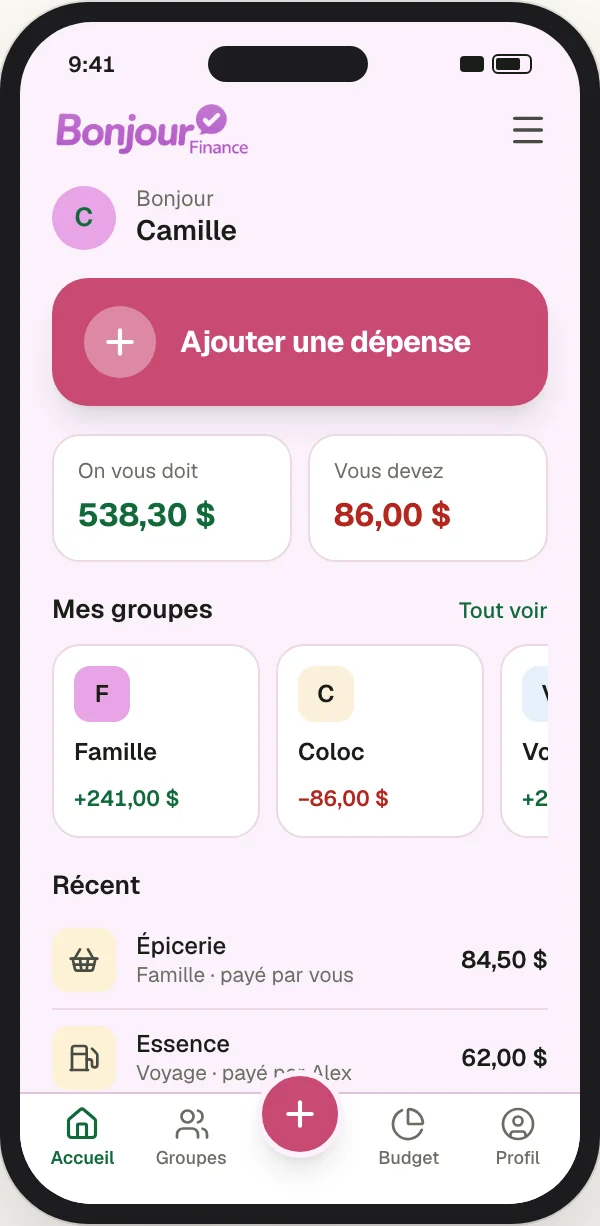
    • The app home screen with the Orchid theme: lilac pink background and raspberry accents.
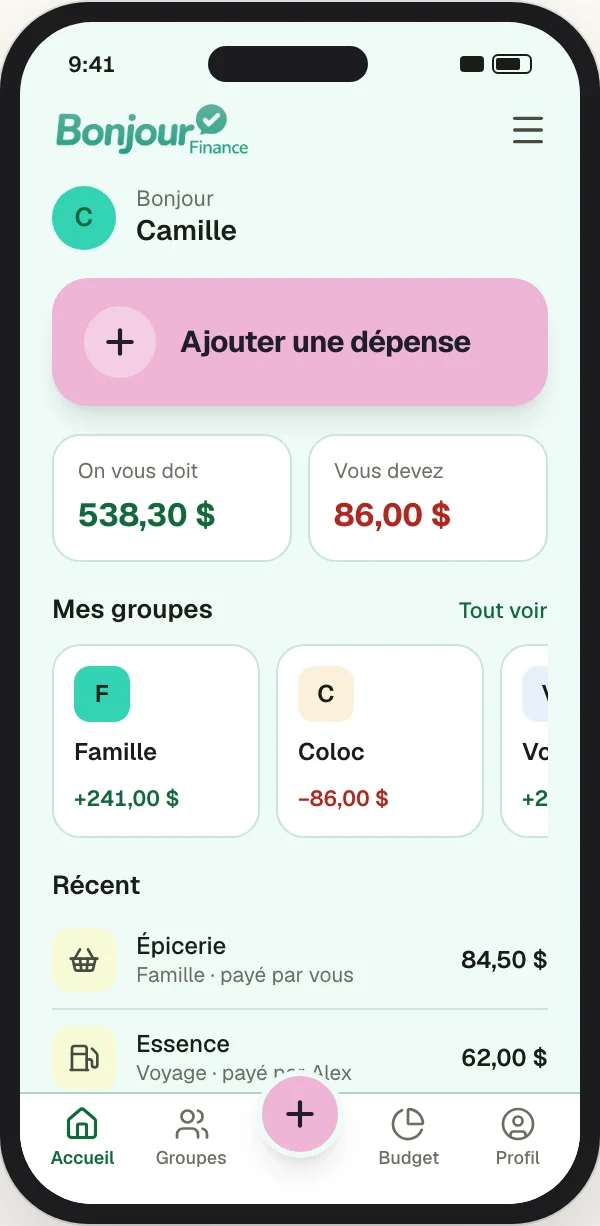
    • The app home screen with the Lagoon theme: turquoise background and pale pink accents.
    • The ☰ menu open on the “Theme” list: each colour has its swatch and name, and the active theme is checked.

    Don't see these changes yet? Close the app completely, then open it again: the update downloads in the background and applies on the next launch. It arrives on its own from version 1.0.3; on older versions, update the app from the App Store or Google Play.

  2. iPhone and Android app

    An app designed for your phone

    The app no longer looks like the website: it goes straight to what you do most often, adding an expense.

    • A tab bar at the bottom of the screen, with a + button in the middle to add an expense in one tap.
    • A new home screen: “Add an expense” first, then what you are owed, what you owe, your groups and your latest expenses.
    • Discreet mode: tap the eye to hide amounts, handy in the grocery store line. You can also hide them every time the app opens.
    • Open the app straight to “Add an expense” if you like (Profile, App launch section).
    • A simpler expense form: pick the group in one tap, the amount is shown large and the button stays above the keyboard.

    Don't see these changes yet? Close the app completely, then open it again: the update downloads in the background and applies on the next launch. It arrives on its own from version 1.0.3; on older versions, update the app from the App Store or Google Play.

  3. iPhone and Android appWebsite

    Eight currencies

    Each group now has its own currency, and an expense can be entered in another one.

    • Canadian dollar, US dollar, euro, pound sterling, Mexican peso, Swiss franc, yen and Australian dollar.
    • A group's balances and settlements are shown in its currency.
    • An expense entered in another currency is converted at the rate of the expense date, and that rate never changes afterwards.
    • Choose your main currency in your profile: it is the default for your new groups.

    Don't see these changes yet? Close the app completely, then open it again: the update downloads in the background and applies on the next launch. It arrives on its own from version 1.0.3; on older versions, update the app from the App Store or Google Play.

Ready to get your shared expenses in order?

Create an account in a minute. People can be added by email, even before they install the app.

Free, no ads. iPhone, Android and web.

Proudly designed in Canada